Commands form#
The Commands tab lets you add Drush commands, and on versions of Drupal core since 11, Drupal CLI commands.
CLI commands#
Drupal CLI commands need only Drupal core to run, and are run with the dr
shell command. These were introduced in Drupal
11.4.
Click ‘Add a Cli commands item’. This adds a form section for the command.
Enter the command name. This is the string that is typed to execute the command.
Optionally, enter aliases for the command. These are typically abbreviated forms of the command name.
Enter a description for the command.
Optionally, enter details for the command’s parameters. These are values that go directly after the command, for example:
dr mycommand param1 param2.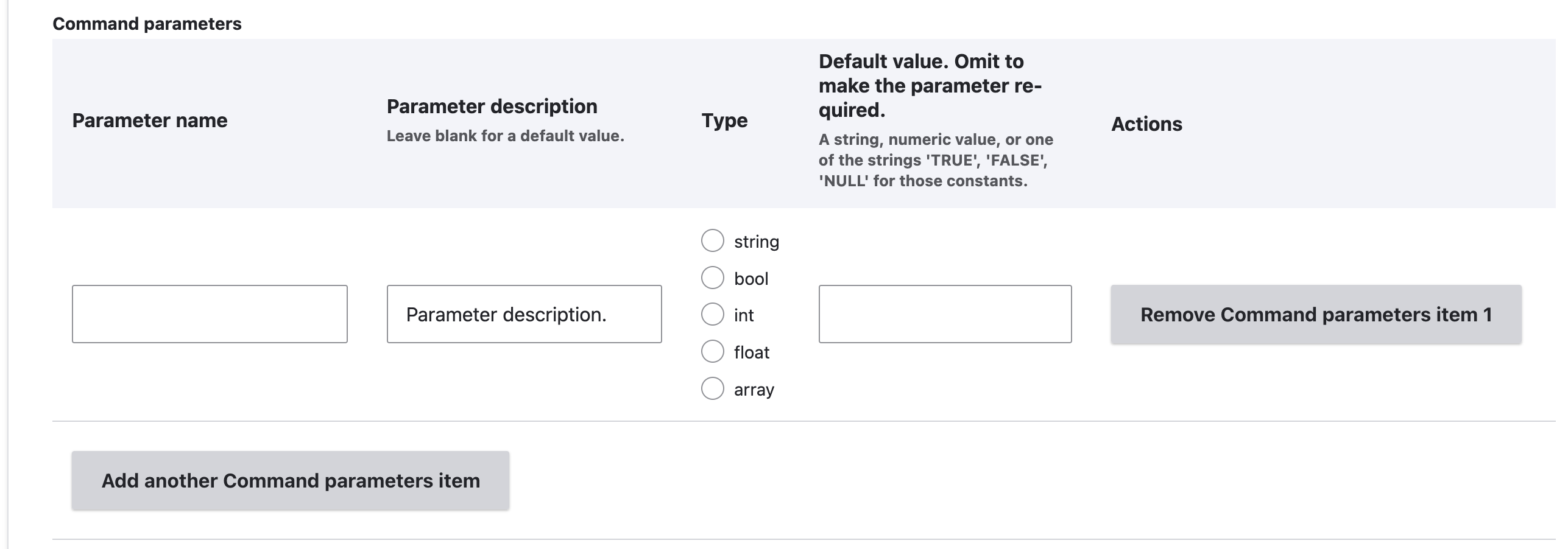
To add command parameters:
- Click ‘Add a command parameters item’. This adds a table row to the command parameters table form element.
- Enter the parameter name.
- Optionally, enter the parameter description.
- Select the parameter type.
- Optionally, enter the parameter’s default value. If this is left empty, the command will require this parameter to be specified.
Optionally, enter details for the command’s options. These are values that are specified by name, for example:
dr mycommand --option1=foo --option2=bar. The options for these are the same as for parameters.Optionally, enter any injected services for the command’s class.
Drush commands#
Drush is a command-line tool for managing a Drupal site. It can be extended with custom commands.
Click ‘Add a Drush commands item’. This adds a form section for the command.
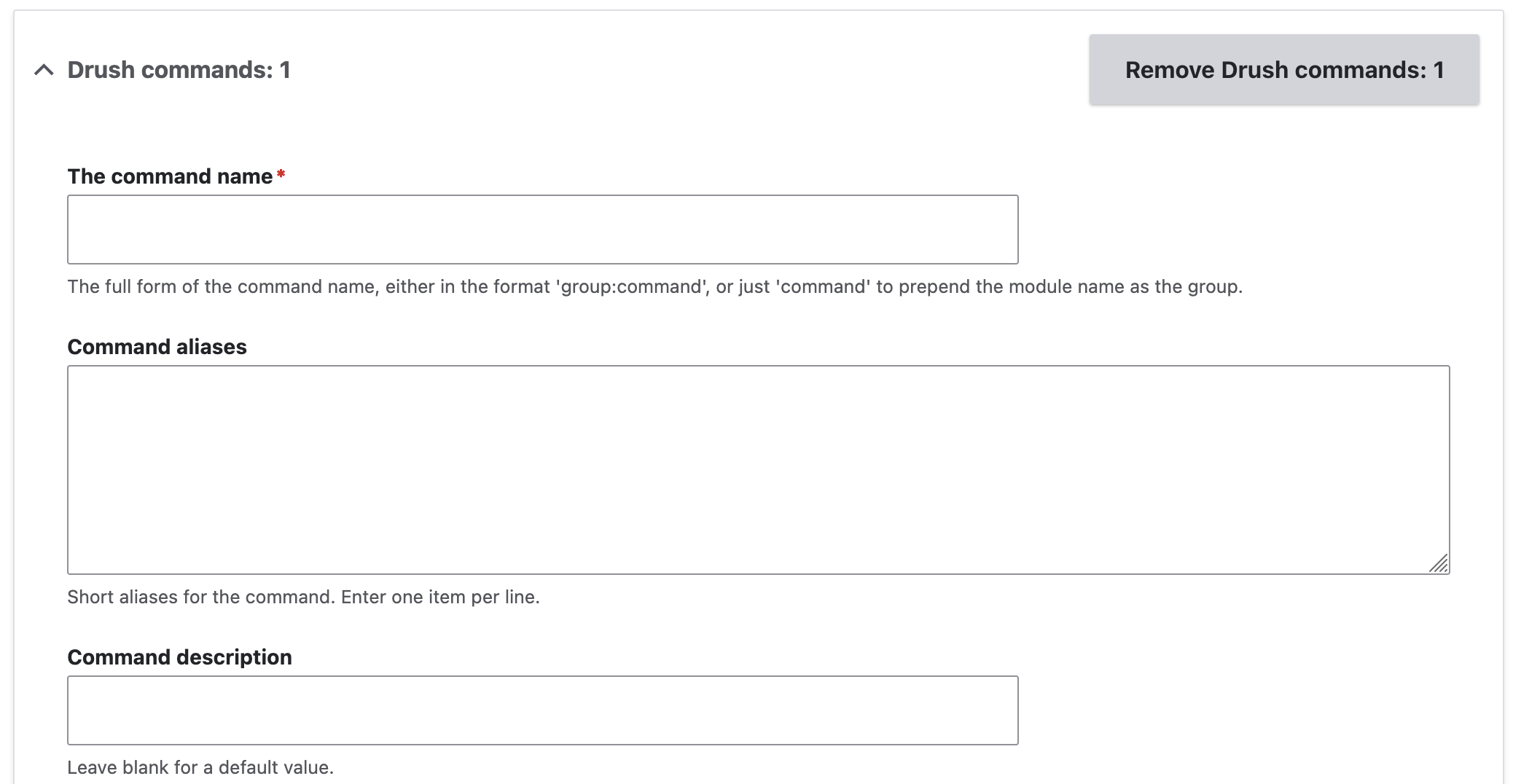
Enter the command name. This is the string that is typed to execute the command.
Optionally, enter aliases for the command. These are typically abbreviated forms of the command name.
Enter a description for the command.
Optionally, enter the names of the command’s parameters. These are values that go directly after the command, for example:
drush mycommand param1 param2.Optionally, enter the names of the command’s options, and a default value. These are values that are specified with command line options, for example:
drush mycommand --option1=bar --option2=foo.